SP0LND LoRa APRS Digi Balloons
This page explains how to use the LoRa APRS digipeater functionality of the balloons.
Looking for the balloon list? Check it HERE!
Mission Control 🖥️
The best way to follow and control ongoing missions is the Mission Control dashboard, usually available at digi-dashboard.sp0lnd.pl.
Configuration ⚙️
The best way to configure your tracker is by using the SQ2CPA LoRa APRS flasher software, available at flasher.lora-aprs.pl.
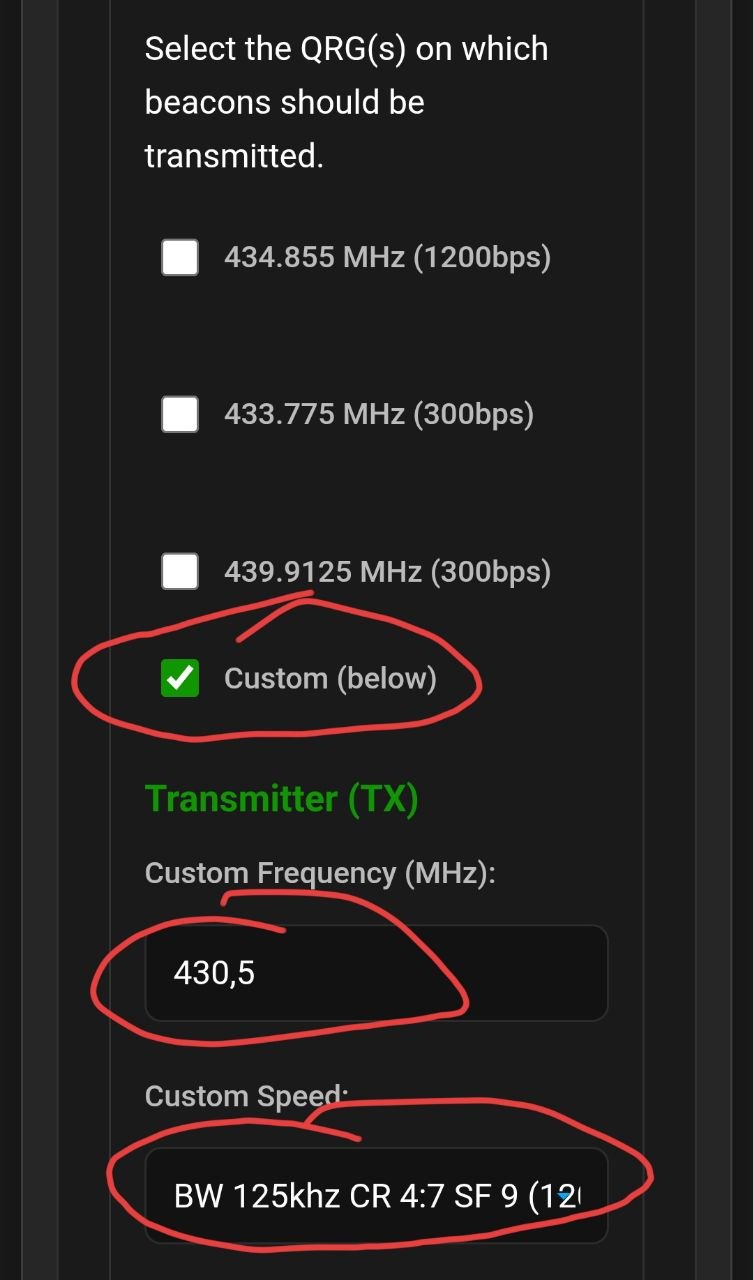
You need to set the following frequencies and transmission parameters:
| Transmission Settings | |
|---|---|
| TX Frequency | 430.500 MHz |
| TX Speed |
1200bps
(SF9, CR4:7, BW125k)
|
| RX Frequency (if you are normally using 1200bps) |
434.855 MHz
(1200bps)
|
| RX Frequency (if you are normally using 300bps) |
433.775 MHz
(300bps)
|
Example configuration of the QRG and speed (tick Custom (below) and fill in the transmitter fields):
Disable Telemetry 📡
It is strongly recommended to disable telemetry in your tracker. Sending additional telemetry data unnecessarily occupies valuable airtime on the channel and can interfere with the digipeater's operation for other users.
Below are examples of how to do this:

How the Digipeater Path Works 🛰️
Sending frames through the Digi balloon is based on a custom path system.
WIDE path.
You must use the SKY paths listed below.
| Path | Description |
|---|---|
SKY1 |
Your frame will be repeated by the balloon to the ground on 434.855 MHz (1200bps). |
SKY2 |
Your frame will be repeated by the balloon to the ground on 433.775 MHz (300bps). |
SKY3 |
This enables a balloon-to-balloon link. The first balloon repeats the frame to another balloon via 430.500 MHz. |
To have a frame digipeated from one balloon to another
and then to the ground, you must combine paths. For
example, a path of
SKY3,SKY1 will cause the first balloon to
send your frame to the second balloon (via
SKY3), which will then repeat it to the
ground (via SKY1). A frame with only
SKY3 will be ignored by the second balloon.
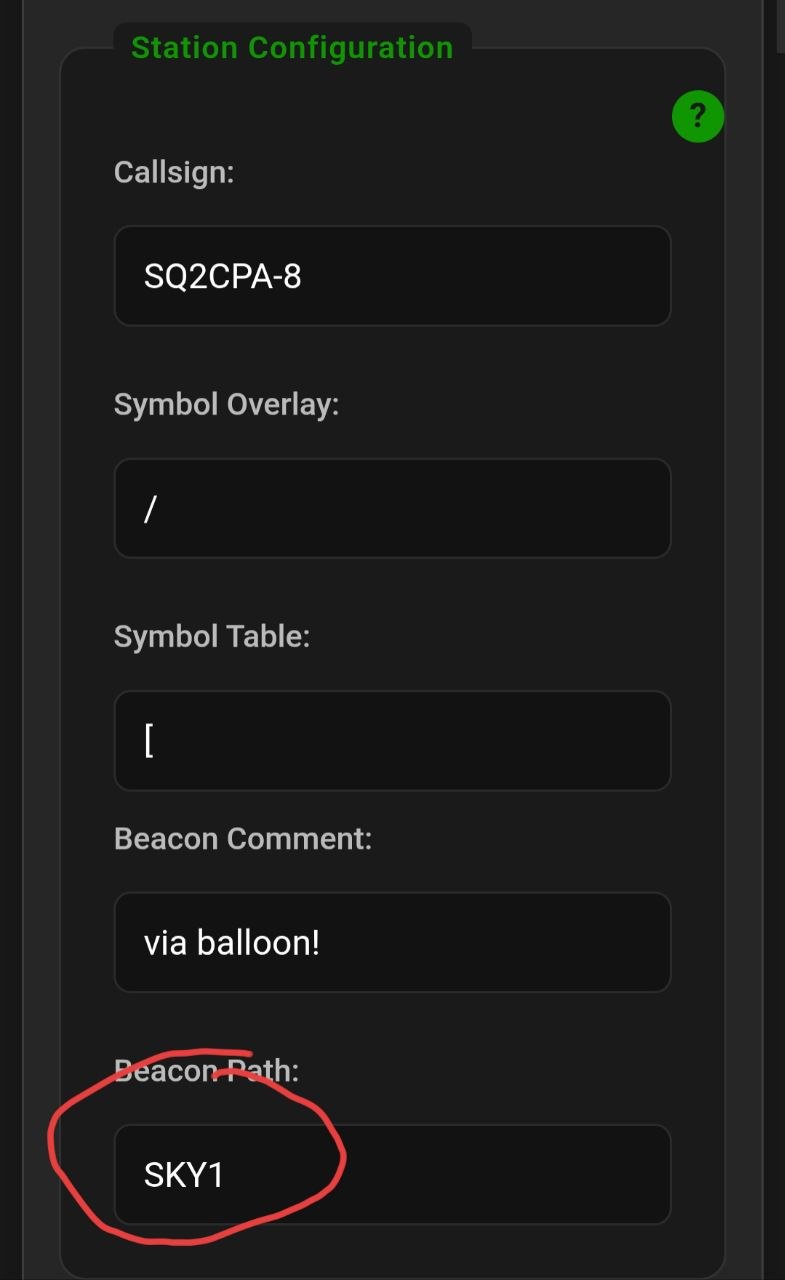
Beacon Path
The Beacon Path field in your
station configuration decides how the balloon
repeats your tracker's beacon. Enter the
SKY path you want there — in
the example on the right it is
SKY1.
Example beacon path configuration:
Recommended Mobile App
It is convenient to use the app.lora-aprs.pl web application. You can connect to your tracker via Bluetooth and set the desired path in the application settings. You can use this app for messages! Remember that path in application is related to messages and path in your tracker settings is related ONLY to tracker beacon!
Example app configuration:

Important Information ℹ️
-
Airtime: The channel
capacity is roughly
80 frames per minute, but
please
still do not spam frames!
This matters even more with
SKY2, where the transmission takes as long as 4 seconds — that way we waste a lot of airtime. - Verification: After your frame is repeated, you can see the path it took on sites like aprs.fi.
- GPS Spoofing: Be aware that GPS spoofing occurs in the Kaliningrad region. The balloon may temporarily report a false position or stop sending its location.
-
Message Acknowledgment: The
balloon will respond with an acknowledgment
(
ack) to any message you send it. This confirms the balloon received your message.
Example of a successfully repeated frame on aprs.fi via two balloons: SN0PEK-14 and SN0PEK-15:

Supported Commands 💬
You can send query messages to the balloon to get real-time information.
| Command | Description |
|---|---|
?APRSV |
Returns information about the balloon. |
?APRSP or
?APRSL
|
Returns the balloon's current location (latitude and longitude). |
?APRSA |
Returns the balloon's altitude in meters. |
?APRST |
Returns the balloon's internal temperature in Celsius. |